
The AI Revolution in Everyday Life
Artificial Intelligence has transitioned from science fiction to an everyday reality, but many people still find themselves on the fence about incorporating it into their lives. Whether you’re completely new to AI or have dabbled with it but aren’t sure how to maximize its potential, this guide will help you understand what AI can do for you, how to use it effectively, and specifically explore Anthropic’s Claude—one of the leading AI assistants available today.
The Honest Truth: Pros and Cons of Using AI
The Advantages
Increased Productivity and Time Savings
AI can handle time-consuming tasks like drafting emails, summarizing documents, creating content, or organizing information in seconds rather than hours. This frees you to focus on work that requires human creativity and judgment.
24/7 Availability
Unlike human assistants or traditional search engines that require you to sift through results, AI assistants are available whenever you need them and can provide conversational, contextualized answers immediately.
Learning and Skill Development
AI can serve as a patient tutor for learning new subjects, programming languages, or skills. It can explain concepts in multiple ways until you understand and provide practice exercises tailored to your level.
Creative Collaboration
Whether you’re writing, designing, or brainstorming, AI can help you overcome creative blocks, suggest alternatives, and iterate on ideas rapidly.
Accessibility and Democratization
AI tools make capabilities that once required expensive specialists—like basic legal document review, financial analysis, or content creation—accessible to individuals and small businesses.
The Limitations
Not Always Accurate
AI can make mistakes or “hallucinate” information, presenting false information confidently. Always verify important facts, especially for critical decisions regarding health, legal matters, or finances.
Lack of True Understanding
While AI can process and generate text remarkably well, it doesn’t truly “understand” context the way humans do. It may miss nuances, cultural references, or emotional subtleties.
Privacy Considerations
When using any AI service, be mindful of what information you share. Avoid entering sensitive personal data, passwords, or confidential business information unless you understand the service’s privacy policies.
Over-Reliance Risk
There’s a danger in becoming too dependent on AI for thinking and decision-making. It’s a tool to augment human capability, not replace human judgment and critical thinking.
Learning Curve
Getting the best results from AI requires learning how to communicate effectively with it—a skill called “prompt engineering.” Initial results may be disappointing until you learn this skill.
Practical Ways to Implement AI in Your Daily Life
For Personal Use
Email and Communication Management
Use AI to draft responses to emails, suggest polite ways to decline requests, or help you write difficult messages. You can ask AI to adjust the tone (professional, casual, empathetic) to fit the situation.
Learning and Research
Whether you’re learning a new language, studying for a certification, or researching a topic, AI can break down complex subjects, create study guides, quiz you, and explain concepts in different ways until you understand.
Planning and Organization
AI can help create meal plans, vacation itineraries, workout routines, or organize your thoughts into actionable plans. It can consider your constraints (budget, dietary restrictions, fitness level) and personalize suggestions.
Creative Projects
From writing blog posts and stories to brainstorming business names or designing presentations, AI can help you iterate through creative ideas quickly and provide feedback on your work.
Personal Finance
Ask AI to help you understand financial concepts, create budgets, analyze spending patterns, or explain investment options (always verify with qualified financial professionals for actual investment decisions).
For Professional Use
Content Creation
Generate first drafts of reports, articles, marketing copy, or social media posts. AI can adapt content for different audiences and platforms.
Code Development and Debugging
AI can write code snippets, explain programming concepts, debug errors, and suggest optimizations. It’s like having a programming mentor available 24/7.
Data Analysis
AI can help analyze spreadsheets, identify trends, create visualizations, and explain complex data in plain language.
Meeting and Document Summaries
Upload meeting transcripts or long documents and get concise summaries highlighting key points and action items.
Customer Service Support
Use AI to draft customer responses, troubleshoot common issues, or create FAQ sections for your website.
Claude: A Journey from Inception to Innovation
The Beginning
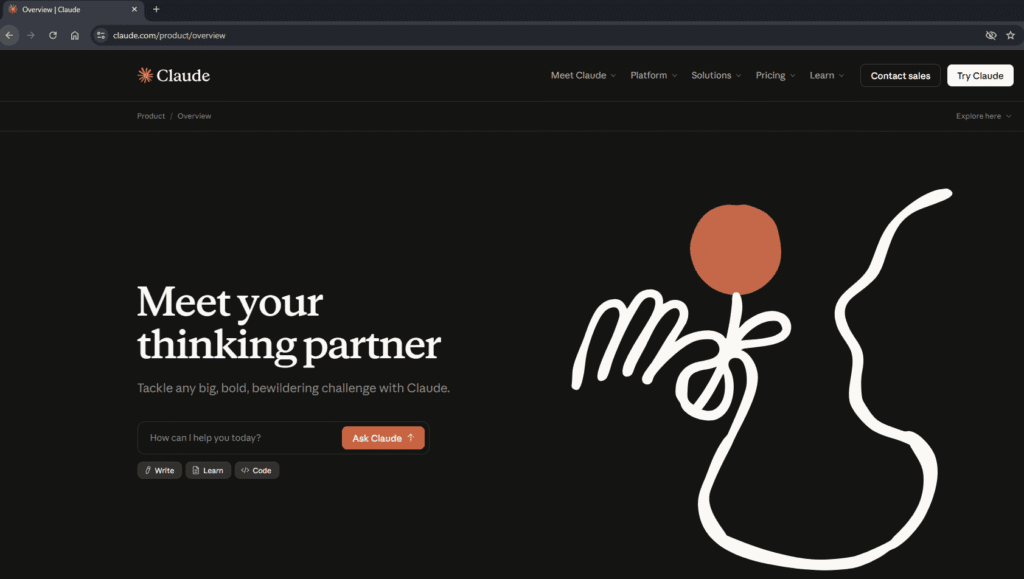
Anthropic, founded in 2021 by former members of OpenAI including siblings Dario and Daniela Amodei, set out to create AI systems that are not just powerful but also safe, steerable, and honest. The company’s foundational principle centers on “Constitutional AI”—a method of training AI to be helpful, harmless, and honest through a set of guiding principles rather than just learning from human feedback alone.
Claude was introduced to the public in early 2023, starting with Claude 1.0. From the beginning, Anthropic emphasized safety and reducing harmful outputs while maintaining strong performance. The assistant was designed to be more conversational and nuanced than many competitors, with an emphasis on refusing harmful requests and providing thoughtful, balanced responses.
Evolution Through the Generations
Claude 2 (2023): This generation expanded the context window—the amount of text Claude could process at once—dramatically. It could handle entire books or lengthy documents in a single conversation, making it invaluable for research and analysis.
Claude 3 Family (2024): This represented a major leap with three distinct models:
- Claude 3 Haiku: Fast and cost-effective for simple tasks
- Claude 3 Sonnet: Balanced performance for everyday use
- Claude 3 Opus: The most capable model for complex reasoning
The Claude 3 family introduced multimodal capabilities, allowing Claude to understand and analyze images alongside text.
Claude 4 Family (2025): The latest generation pushes boundaries further with hybrid reasoning capabilities and even more sophisticated performance. The family currently includes Claude Opus 4, 4.1, and the newest Claude Sonnet 4.5.
Current Capabilities and Features
Today’s Claude offers an impressive array of capabilities:
Extended Context Understanding
Claude Sonnet 4.5 features a 200,000-token context window, meaning it can process approximately 150,000 words or 500 pages of material in a single conversation. This makes it exceptional for working with lengthy documents, entire codebases, or complex research.
Advanced Reasoning and Problem-Solving
The Claude 4 models use hybrid reasoning, combining different thinking approaches to tackle complex problems. This makes Claude particularly strong at multi-step reasoning, strategic planning, and nuanced analysis.
Coding Excellence
Claude has become exceptionally proficient at writing, understanding, and debugging code across dozens of programming languages. It can architect entire applications, review code for bugs, optimize performance, and explain complex programming concepts clearly.
Multimodal Processing
Claude can analyze images, charts, diagrams, screenshots, and documents. You can upload photos of whiteboards, handwritten notes, or infographics, and Claude can interpret and work with that visual information.
Artifacts System
When creating substantial content like code, documents, or visualizations, Claude generates “artifacts”—separate, reusable content blocks that you can easily copy, modify, or iterate on without cluttering the conversation.
Improved Safety and Reliability
Recent models have substantially reduced concerning behaviors like excessive agreement (sycophancy), deception, or encouraging problematic thinking, while maintaining helpfulness and capability.
File Creation and Execution
The Claude apps now support creating spreadsheets, presentations, and documents directly within conversations. Claude can also execute code to perform calculations, create visualizations, or process data in real-time.
Coming Attractions
Anthropic continues to innovate rapidly. Recent announcements hint at:
Enhanced Agentic Capabilities
Future versions of Claude are being developed to work more autonomously on longer tasks, able to break down complex projects and work through multiple steps independently over extended periods.
Improved Tool Integration
Expanding Claude’s ability to connect with more external tools, databases, and services through standardized protocols like MCP (more on this below).
Browser Integration
Claude for Chrome is currently in beta testing, allowing the AI to work alongside you as you browse, helping with research, summarizing content, and assisting with online tasks.
The Anthropic Ecosystem: Beyond the Chat Interface
Anthropic offers several ways to interact with Claude, each designed for different use cases:
Claude Chat Interface (Web, Mobile, Desktop)
This is the conversational interface most users start with. Available at claude.ai and through mobile apps, it’s perfect for:
- General conversations and questions
- Document analysis and summarization
- Creative writing and brainstorming
- Learning and tutoring
- Quick coding tasks
Use Case Example: You’re writing a business proposal and need to ensure your language is clear and persuasive. You paste your draft into Claude, ask for feedback on clarity and tone, then iterate on specific sections based on the suggestions.
Claude API (Developer Platform)
The Claude API allows developers to integrate Claude’s capabilities directly into their own applications, websites, or workflows. This is ideal for:
- Building custom applications with AI features
- Automating workflows at scale
- Creating specialized tools for specific industries
- Processing large volumes of data or documents
Use Case Example: A law firm integrates Claude API into their document management system to automatically summarize case files, extract key dates and obligations, and flag potential issues for attorney review.
Claude Code (Command Line Interface)
Claude Code is a powerful command-line tool that brings AI directly into the developer’s workflow. It can:
- Write and modify code across your entire project
- Debug issues and suggest fixes
- Refactor and optimize code
- Execute commands and run tests
- Work autonomously on long-running coding tasks
Use Case Example: You’re debugging a complex issue in your application. You run Claude Code from your terminal, describe the problem, and it analyzes your codebase, identifies the issue, proposes a fix, and can even implement and test the solution with your approval.
Model Context Protocol (MCP)
MCP is perhaps one of Anthropic’s most innovative contributions—an open-source standard that acts like a “USB port for AI.” It enables Claude to securely connect to external data sources and tools in a standardized way.
How It Works: Developers create “MCP servers” that expose data or functionality (like databases, APIs, or file systems) which Claude can then access as needed during conversations or tasks.
Use Case Example: A marketing team sets up an MCP server connecting to their company’s Google Drive, analytics dashboard, and customer database. When they ask Claude Code to create a quarterly report, it can access real data from all these sources, generate insights, and create a comprehensive document with current statistics.
How They Work Together
The real power emerges when these components work in harmony:
- Claude Chat + MCP: Your desktop Claude app connects via MCP to your local file system, allowing Claude to read, analyze, and create files on your computer during conversations.
- Claude Code + MCP: Claude Code connects to MCP servers for your project’s database, issue tracker, and documentation, giving it complete context to work on complex coding tasks that span multiple systems.
- API + MCP: Custom applications built with the Claude API can leverage MCP to give Claude access to proprietary databases, tools, and workflows specific to your organization.
Commonality: All of these implementations share Claude’s core intelligence, safety training, and capabilities. Whether you’re using the chat interface, API, Claude Code, or MCP connections, you’re interacting with the same underlying model. The difference is in how the interaction occurs and what resources Claude can access to help you.
Other AI Options: A Broader Landscape
While this guide focuses on Claude, it’s worth knowing that several excellent AI assistants exist, each with its own strengths:
| AI Assistant | Developer/Company | Primary Focus/Strength |
| ChatGPT | OpenAI | One of the first widely-available conversational AI systems, known for broad capabilities and a large ecosystem of plugins and integrations |
| Gemini | Google’s AI offering with strong integration into Google’s suite of products and excellent search capabilities | |
| Copilot | Microsoft | Integrated deeply with Microsoft products and particularly strong for coding assistance in development environments |
| Perplexity AI | Perplexity AI | Focuses on research and information retrieval with citations and sources for its responses |
| Claude | Anthropic | Emphasizes safety, nuanced reasoning, and extended context understanding. Particularly strong at complex analysis, working with lengthy documents, thoughtful coding assistance, and providing balanced, well-reasoned responses |
All of these AI assistants share similar core capabilities: they can understand natural language, generate text, assist with coding, analyze information, and help with creative tasks. The differences often come down to:
- Integration with specific ecosystems
- User interface preferences
- Specific strengths (coding, research, creative writing)
- Pricing models
- Privacy and data handling policies
The best approach is to try a few and see which one feels most natural for your workflow and needs. Many people use different AI tools for different purposes.
Tips for Becoming Comfortable with AI
Start Small and Specific
Don’t try to revolutionize your entire workflow on day one. Pick one specific task where AI could help—like drafting emails or summarizing articles—and use it consistently for that purpose. Once comfortable, gradually expand to other use cases.
Learn to Be Clear and Specific
AI responds best to clear, specific requests. Instead of “help me with my business,” try “help me create a three-month content calendar for a small IT consulting business that posts twice weekly on LinkedIn about cybersecurity and cloud services.”
Iterate and Refine
Your first request rarely yields perfect results. Think of AI conversations as collaborative: ask for revisions, provide feedback, request different approaches. “That’s close, but can you make the tone more professional?” or “This is good, but can you add specific examples?”
Verify Important Information
Treat AI as a knowledgeable assistant, not an infallible oracle. For anything important—especially facts, statistics, medical information, or legal advice—verify the information through authoritative sources.
Protect Your Privacy
Avoid sharing sensitive information like passwords, social security numbers, proprietary business secrets, or personal health information. Use AI for general assistance while keeping confidential details private.
Use AI to Learn, Not Just to Get Answers
Instead of just asking for solutions, ask AI to explain its reasoning: “Can you explain why this approach works?” or “What are the tradeoffs between these two options?” This helps you learn and make better decisions.
Lesser-Known Tips for Getting More from AI
Context Setting
Start conversations by providing context: “I’m a small business owner in IT consulting working primarily with healthcare clients. I need help with…” This helps AI tailor responses to your specific situation.
Ask for Multiple Options
Instead of accepting the first response, request alternatives: “Give me three different approaches to this problem” or “Suggest five different subject lines for this email, ranging from professional to friendly.”
Use “Explain Like I’m…” Prompts
When learning something new, specify your knowledge level: “Explain quantum computing like I’m a business professional with no physics background” or “Explain this like I’m an experienced programmer new to machine learning.”
Request Structured Output
Ask for information in specific formats: “Create a table comparing these options with columns for pros, cons, and cost” or “Give me a numbered checklist I can follow step-by-step.”
Chain Complex Tasks
Break big projects into steps and work through them sequentially: “First, help me outline the main sections of this proposal. [After that’s done] Now let’s write the executive summary based on this outline. [Continue iterating]”
Save and Reuse Effective Prompts
When you craft a prompt that works really well, save it. You can use it as a template for similar tasks in the future, just modifying the specifics.
Ask for Critique
Use AI to improve your own work: “Review this email for clarity and professionalism, pointing out any areas that might be unclear or sound too aggressive” or “What are the weak points in this argument?”
Use It for Research Synthesis
Instead of just asking questions, upload multiple documents or paste several articles and ask Claude to “identify common themes,” “highlight contradictions,” or “summarize the key disagreements between these sources.”
Explore Different Interaction Modes
Try uploading images of handwritten notes, whiteboards, or diagrams rather than typing everything. Claude can interpret visual information and work with it conversationally.
Remember It’s a Conversation
You don’t need perfect prompts. If the first response isn’t quite right, just continue the conversation: “Actually, that’s not quite what I meant. Let me clarify…” AI conversations work best when they’re natural and iterative.
Conclusion: Embracing AI as a Tool, Not a Replacement
AI represents a powerful tool for augmenting human capability, but it’s important to maintain perspective. Claude and other AI assistants are here to help you think better, work faster, and learn more effectively—not to replace your judgment, creativity, or expertise.
The key to successfully incorporating AI into your life is to:
- Start with clearly defined use cases
- Experiment and learn what works for you
- Maintain healthy skepticism and verify important information
- Use AI to enhance your capabilities rather than outsource your thinking
- Stay curious and keep exploring new ways to leverage these tools
Whether you choose Claude, another AI assistant, or use multiple tools for different purposes, the AI revolution is here to stay. The question isn’t whether to use AI, but how to use it thoughtfully and effectively to achieve your goals while maintaining the human judgment and creativity that makes your work uniquely valuable.
As these technologies continue to evolve, staying informed and adaptable will serve you well. Start exploring, remain curious, and don’t be afraid to experiment. The best way to become comfortable with AI is simply to use it, learn from the experience, and gradually incorporate it into the parts of your workflow where it adds genuine value.
