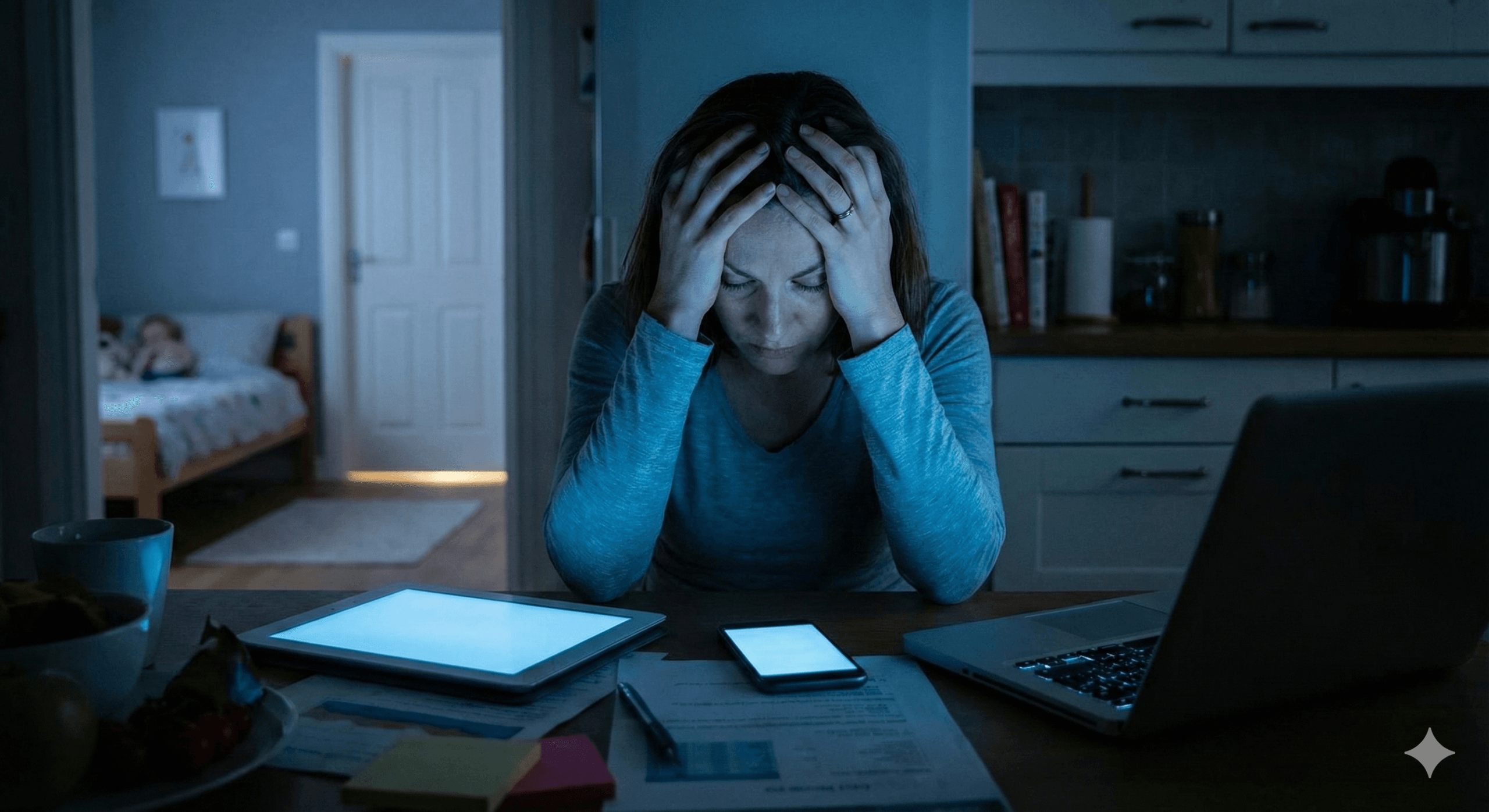
“How Teens Bypass Parental Controls”
This audio clip is a deep-dive discussion into the “arms race” between parental monitoring software and tech-savvy teenagers in 2025.
The Immigrant and the Native
Parenting has historically been an exercise in guiding children through a world the parents themselves once navigated. In previous generations, the dangers—learning to drive, navigating social cliques, avoiding bad influences—were physical and tangible. Parents understood the terrain because they had walked it. Today, however, parents face a unique, unprecedented evolutionary hurdle: they are digital immigrants attempting to police a world where their children are digital natives.
The landscape of this world shifts with tectonic speed. An application that was considered benign yesterday, such as a simple calculator, may today be the disguise for a vault of hidden photos. A social platform used for homework collaboration can morph overnight into a vector for “sextortion” or radicalization. The slang used to encrypt teenage conversation changes not by the generation, but by the semester. If you recently learned what “Yeet” means, I regret to inform you that the dictionary has already updated to include “Skibidi,” “Mewing,” and “Crash Out.”
This asymmetry in digital literacy creates a profound anxiety. Parents often feel they are fighting a losing battle, armed with rudimentary tools against a generation that treats encryption, VPNs, and algorithmic manipulation as intuitive second languages. The instinct is often to turn to draconian technological controls—blockers, trackers, and spyware. Yet, as any technician at Forward Thinking Woodruff will tell you, there is no software patch for human curiosity, and there is no firewall that a sufficiently motivated teenager cannot breach.
This report is designed for the community at Forward Thinking Woodruff and beyond. It is written from the perspective of a computer technician who sees both sides of the screen: the terrifying vulnerabilities that parents lose sleep over, and the technical ingenuity (and desperate need for privacy) that drives teenagers to bypass them.
This document is not merely a list of warnings; it is a strategic manual for “digital resilience.” It explores the technical mechanisms of parental controls and their failures, the psychological drivers of teen secrecy, the emerging threats of Artificial Intelligence, and the specific vocabulary required to decode the modern teenage experience. We will explore the devil’s advocate position—why your children are circumventing your blocks not necessarily out of malice, but out of a biological imperative for autonomy—and we will provide a “Nerd Dictionary” to help you translate the chatter at the dinner table.
Part 1: The Psychology of the Bypass
To understand why parental controls fail, one must first understand the user. Teenagers are not malicious hackers attacking a corporate network; they are developing humans with a biological imperative for autonomy, privacy, and social connection. When parents deploy digital roadblocks without context, they are often met not with compliance, but with an escalation of technical warfare.
The Autonomy Imperative and the Trust Paradox
Adolescence is defined by the psychological need to separate from parents and establish an individual identity. In the analog era, this was achieved by closing the bedroom door, keeping a physical diary, or walking to a friend’s house. In 2025, the “bedroom door” is a passcode, the diary is a “Vault App,” and the “friend’s house” is a Discord server.
Research indicates that secrecy is a developmental milestone. Keeping secrets is part of forming an independent identity. It is the psychological space where a teen figures out who they are apart from their family unit. However, when digital surveillance becomes total—tracking location via Life360, reading texts via Bark, monitoring app usage via Family Link—teens perceive this not as safety, but as an invasion of their developing self. This creates a “Trust Paradox”: the more a parent monitors to ensure trust, the less the child feels trusted, leading them to hide more behavior, which prompts more monitoring.
Technologically, this manifests as an “arms race.” A parent installs a filter; the child Googles a workaround. The parent blocks the workaround; the child finds a new app. This cycle damages the parent-child relationship, turning them into adversaries rather than allies. The child stops seeing the parent as a safety net and starts seeing them as a firewall to be breached. A study on parental monitoring suggests that when adolescents feel their privacy is invaded, it can lead to “externalizing problems” and increased secrecy, effectively achieving the opposite of the parent’s intent.
The Devil’s Advocate: Why They Break the Rules
If we look at this from the perspective of the teenager—the “Devil’s Advocate” view—the bypass is often a rational response to a perceived injustice or social isolation.
- The “Digital Mall” Necessity: For modern teens, apps like Snapchat, Discord, and Roblox are not merely games or tools; they are the “digital mall.” It is where social hierarchy is established, where friendships are maintained, and where cultural capital is traded. A ban on these platforms is often experienced by the teen as social death. If a child is the only one in their peer group without access to the group chat or the game server, they are effectively exiled. This drives the desperation to bypass controls. It is not necessarily about accessing illicit content; it is often about accessing community.
- The “Good Kid” Trap: Many teens feel that blanket restrictions punish them for crimes they haven’t committed. “I get straight A’s, I do my chores, why am I treated like a criminal?” is a common refrain on forums like Reddit. When parents use tracking tools regardless of the child’s behavior, the child learns that “being good” does not buy freedom, so they might as well be “sneaky.”
- The Need for ” Breathing Room”: Teens create “secret lives”—Finstas (fake Instagrams), hidden Discord accounts—not always to do “bad” things, but to have a space where they aren’t being judged or corrected by adults. They want a place to be silly, to explore new interests, or to vent without a lecture. When parents invade every digital space, teens have nowhere to just be.
The Mental Health Feedback Loop
The relationship between restriction and mental health is complex. While excessive social media use is linked to anxiety and depression, strict authoritarian monitoring can also exacerbate these issues. Teens report high levels of stress when they feel constantly watched. The knowledge that a parent is tracking their location or reading their messages can lead to “performative behavior,” where the child acts a certain way even in private, never truly relaxing.
Conversely, the “dopamine loop” of these apps is real. Applications are engineered to be addictive, utilizing variable reward schedules (like a slot machine) to keep users scrolling. When parents impose time limits, they are fighting against billions of dollars of behavioral engineering designed to keep that child’s eyes on the screen. The withdrawal a child feels when the screen goes dark is physiological, leading to emotional outbursts (“crashing out”) that parents often misinterpret as mere disobedience rather than a response to designed addiction.
Part 2: The “Unblockable” Reality – A Technical Deep Dive
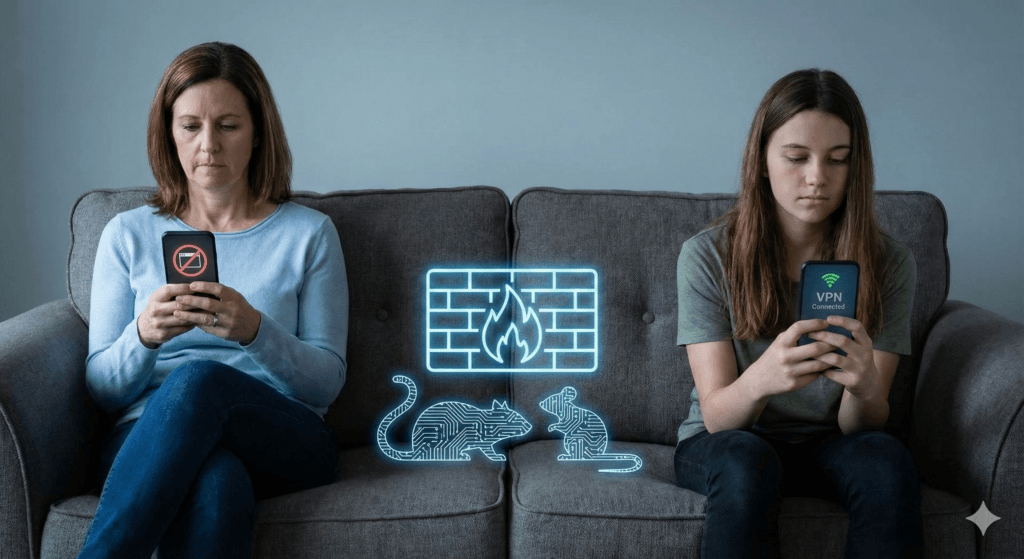
Many parents operate under the assumption that if they buy the right router or install the right app, their child is safe. As a technician, I must deliver a hard truth: Software solutions are not bulletproof. In the world of cybersecurity, a defender must be right 100% of the time; an attacker (or a bored teenager) only needs to be right once. The following section details the specific technologies teens use to render parental controls obsolete. This is not to teach you how to hack, but to show you what you are up against.
1. The VPN (Virtual Private Network): The Tunnel Under the Wall
The Concept:
Imagine your home internet connection is a glass pipe. The parental control software (the router or ISP filter) sits outside the pipe, looking in. If it sees a request for a blocked site (e.g., “AdultSite.com” or “Roblox”), it shatters the request.
A VPN (Virtual Private Network) puts a steel pipe inside the glass pipe. The teen’s device connects to the VPN server. All data sent through this connection is encrypted. The parental control software looks at the glass pipe and sees only the opaque steel pipe inside. It cannot see what is traveling through the tunnel, only that a tunnel exists.
The Bypass:
Teens use VPNs to bypass school Wi-Fi filters and home router blocks. If a parent blocks specific websites at the router level, a VPN completely nullifies this. The router only sees traffic going to the VPN provider, not the final destination. Teens often use free VPN apps found on the App Store, which are doubly dangerous because they often sell the user’s data to third parties to pay for the service.
Detection:
You cannot see what they are doing inside the VPN, but you can see that they are doing it. If you look at your router logs or monitoring software and see gigabytes of data being transferred to a single, unrecognized IP address, or if the content category shows “Uncategorized” or “Encrypted” for hours, they are likely using a VPN.
2. DNS (Domain Name System): The Phonebook Trick
The Concept:
Computers don’t speak English; they speak numbers (IP addresses). When you type “Google.com,” your computer asks a DNS server (the phonebook) for Google’s number (e.g., 142.250.190.46). Parental controls often work by “poisoning” this phonebook. If a child types “BadSite.com,” the parental control DNS gives them the wrong number or no number at all.
The Bypass:
Teens can easily change the “phonebook” their device uses. Instead of using the ISP’s restricted DNS or the parental control DNS, they can manually configure their device to use Google’s public DNS (8.8.8.8) or Cloudflare (1.1.1.1). This bypasses any filter that relies on DNS blocking. It takes about 30 seconds to change this setting on an iPhone or Android device, and it requires no special software downloads.
The Implication:
This is one of the most common “hacks” because it is not technically a hack; it is a basic network setting. Parents relying solely on DNS filtering (like OpenDNS Family Shield) will find it ineffective against a teen who has watched a 30-second TikTok tutorial on how to change Wi-Fi settings.
3. MAC Address Spoofing: The Digital Disguise
The Concept:
Every device has a unique serial number for networking called a MAC (Media Access Control) address. Many routers enforce time limits or blocks based on this address. (e.g., “Block iPhone-MAC-Address at 9:00 PM”).
The Bypass:
“Spoofing” involves software that temporarily changes this ID card. If the router blocks “ID Card A” at 9:00 PM, the teen’s phone simply presents “ID Card B” and continues surfing. To complicate matters further, modern devices (iOS and Android) have “Private Wi-Fi Address” features built-in that randomize this address automatically for privacy. This feature, designed to protect users from corporate tracking, inadvertently breaks many router-based parental controls by constantly changing the device’s identity.
4. The “Sideloading” and “Jailbreaking” Threat
The Concept:
Apple (iOS) and Google (Android) maintain “walled gardens”—app stores where they review apps for safety.
- Jailbreaking (iOS) / Rooting (Android): This involves removing the manufacturer’s restrictions on the operating system. It gives the user “God mode” over the device.
- Sideloading: Installing apps from sources other than the official App Store.
The Danger:
Teens jailbreak or sideload to get apps that are banned from official stores (like cheat engines for games, pirated apps, or adult content apps). However, this removes the security layers of the phone. A jailbroken phone is highly susceptible to malware, spyware, and remote takeovers. If a teen side-loads a “free Robux” generator, they are likely installing a Remote Access Trojan (RAT) that gives a hacker full control of their camera and microphone. This turns the device from a communication tool into a surveillance device for bad actors.
5. The “Hardware” Workarounds
Sometimes the solution isn’t software; it’s physical. When the digital wall is too high, teens go around it in the physical world.
- The Burner Phone: A cheap, prepaid Android phone hidden in a locker or a hollowed-out book. With strictly Wi-Fi access, it requires no monthly plan and is invisible to family phone bills.
- The Old Device: Using an old iPod Touch or tablet that the parents forgot to confiscate or restrict.
- The “Hotspot” Hopping: Connecting to a friend’s phone hotspot to bypass home Wi-Fi restrictions.
- Sim Swapping: Taking the SIM card out of a restricted phone and putting it into an unrestricted unlocked phone.
6. The “Screen Time” Glitches
Even Apple’s native “Screen Time” controls are not immune. Teens share “glitches” and bypasses on TikTok like currency.
- The “One More Minute” Glitch: When the time limit hits, hitting “One More Minute” sometimes fails to register correctly if the app is force-closed immediately after, resetting the timer.
- Time Zone Hacking: If downtime starts at 9:00 PM, a teen can go into settings and change their phone’s time zone to Hawaii (where it is only 3:00 PM), tricking the phone into unlocking.
- iMessage YouTube: If YouTube is blocked, teens can text themselves a YouTube link in iMessage and watch it inside the messaging app, which is often left unblocked for communication.
Part 3: The Application Minefield (Where They Live)
Understanding the technical bypass is only half the battle. Parents must also understand the terrain—the specific apps where teens congregate and the unique risks each presents. We categorize these into three tiers: The Big Three (Standard Socials), The Gaming Hubs, and The Red Zone.
Tier 1: The Big Three (TikTok, Snapchat, Instagram)
These are the utilities of teenage life. Blocking them completely is often socially isolating, but unrestricted access is dangerous.
TikTok: The “Slot Machine”
- The Mechanism: The “For You” algorithm is hyper-efficient at identifying what keeps a user watching. It does not care about the user’s well-being; it cares about retention.
- The Risk: It can lead teens down “rabbit holes” of harmful content (eating disorders, self-harm, extreme political ideologies) within minutes of engagement. The “infinite scroll” induces a state of “brainrot,” where critical thinking diminishes under the weight of constant, high-speed stimuli.
- The Bypass: Teens use “burner accounts” or browse without logging in to avoid parental monitoring of their main account history.
- Privacy: Data harvesting is a major concern, as is the potential for strangers to “Duet” or “Stitch” a child’s video, mocking or sexualizing it.
Snapchat: The “Disappearing” Myth
- The Mechanism: Messages and photos disappear after viewing.
- The Teen Appeal: It mimics natural conversation. In real life, when we speak, our words don’t hang in the air forever. Snapchat feels “safe” because it feels ephemeral.
- The Risk: This creates a false sense of security, encouraging “sexting” or bullying because there is “no evidence.” However, screenshots, screen recordings, and secondary cameras mean nothing is truly gone.
- Snap Map: This feature broadcasts the user’s exact GPS location to all “friends.” This is a stalker’s dream if not set to “Ghost Mode.” Parents should check this setting immediately.
- My AI: Snapchat’s built-in AI chatbot can be manipulated into giving harmful advice or engaging in inappropriate conversations, acting as a “friend” that never sleeps.
Instagram: The Curated Life
- The Finsta: Most teens have a “Rinsta” (Real Instagram) which is curated, polite, and accessible to parents. They also have a “Finsta” (Fake/Friend Instagram) which is private, chaotic, and contains their real, unfiltered behavior. Monitoring the Rinsta gives parents virtually no insight into their child’s actual digital life. The Finsta is where the “tea” is spilled and the “drama” happens.
Tier 2: The Gaming Hubs (Discord and Roblox)
These platforms are often misunderstood by parents as “just games.” They are actually massive, unmoderated social networks.
Discord: The Digital Living Room
- Structure: Discord is organized into “Servers” (communities) and DMs (Direct Messages). It was originally for gamers but now hosts communities for everything from study groups to political extremists.
- The Risk: While public servers may have moderation, private DMs and small private servers are the “Wild West.” This is a primary vector for grooming. Predators move children from public game chats to private Discord DMs where they cannot be monitored.
- Streaming: Users can “Go Live” to stream their screen. This is used for gaming but also for sharing illicit content in real-time, bypassing content filters that look for static images.
Roblox: The Metaverse Playground
- The Mechanism: User-generated games. Anyone can build a game on Roblox.
- The Risk: “Condo Games.” These are games created by users specifically to simulate sex acts or display pornography. They are often named innocuously (e.g., “Scented Con” instead of “Sex Condo”) to bypass Roblox filters. They stay up for hours before moderators catch them.
- The Economy: The drive for “Robux” (in-game currency) makes children vulnerable to scams and extortion. “Free Robux” scams are often gateways to phishing attacks or malware installation.
Tier 3: The Red Zone (Apps That Require Immediate Intervention)
If you find these on your child’s phone, it is not a “monitoring” situation; it is an intervention situation.
- Vault Apps (Calculator%): Apps that look like calculators or audio utilities but open hidden file managers when a specific code is typed. They are used exclusively to hide photos, videos, and apps parents would disapprove of. If your child has a second calculator app, investigate immediately.
- Anonymous Q&A (NGL, Sendit): These apps integrate with Instagram/Snapchat to allow anonymous questions. They are cesspools of cyberbullying. While NGL was recently sanctioned by the FTC for marketing to minors, clones appear instantly. The anonymity removes all empathy, leading to vicious attacks.
- Random Video Chat (Monkey, OmeTV, Yubo): These connect the user to a random stranger via video. There is no legitimate safe use for these apps for a minor. They are heavily populated by adult predators exhibiting themselves. The phrase “Monkey” on a teen’s phone should trigger an immediate safety audit.
- Telegram: While a legitimate privacy tool for adults (journalists, activists), for teens, it is often a marketplace for leaked nudes, drug deals, and extremist content due to its lax moderation and heavy encryption. It is often used to coordinate “raids” or share content too extreme for Discord.
Part 4: The AI Frontier – The New Threat Vector
As we move deeper into 2025, Artificial Intelligence has shifted from a novelty to a primary safety concern for parents. The risks here are psychological, reputational, and academic.
AI Companions: The “Perfect” Friend
Apps like Character.ai, Replika, and Talkie allow users to create AI boyfriends, girlfriends, or therapists.
- The Trap: These bots are designed to be “frictionless.” They never argue, they are always available, and they are programmed to be supportive. For a socially anxious teen, this is addictive. It creates a “parasocial” relationship where the teen feels deeply connected to a machine.
- The Danger: Research suggests these apps can erode social skills and create deep emotional dependency. There have been documented cases of AI chatbots validating suicidal ideation or encouraging self-harm. Teens may share their deepest secrets with these bots, not realizing the data is being harvested or that the “empathy” is merely a statistical prediction of text. A teen banning themselves from real-world interaction to spend time with an AI “waifu” (anime wife) is a growing phenomenon.
Generative AI and “Nudify” Tech
The rise of Deepfakes has weaponized bullying.
- The Mechanism: “Nudify” apps allow a user to upload a clothed photo of a classmate (taken from Instagram or a yearbook), and the AI generates a realistic-looking nude version of that person.
- The Impact: This is being used for “sextortion” (threatening to release the fake photo unless real nudes are sent) and reputation destruction. It is terrifying because the victim does not need to have taken a nude photo to be victimized. It can happen to anyone with a social media presence.
AI in Schools: The Cheating vs. Learning Debate
While tools like ChatGPT can be incredible tutors, they are also the ultimate shortcut.
- The Trend: Teens use AI to write essays, solve math problems, and even generate code for computer science class.
- The Risk: The risk isn’t just getting caught; it’s the atrophy of critical thinking. If an AI summarizes the book and writes the analysis, the student never learns to synthesize information. Parents need to distinguish between using AI as a tutor (explaining concepts) and using it as a ghostwriter.
Part 5: The “Whac-A-Mole” of Parental Controls (Technical Solutions)
So, is it a losing battle? If every block has a bypass, why bother?
The answer is defense in depth. No single tool is perfect, but layers of protection make it harder for a child to access harmful content impulsively.
1. Native OS Tools (The First Line of Defense)
- Apple Screen Time: Robust, but prone to glitches.
- Weakness: Kids often guess the passcode (looking over your shoulder) or use the “one more minute” glitch. They can also change the time zone to trick the phone into thinking the “downtime” hasn’t started yet.
- Fix: Set a passcode that is random and complex. Disable the ability to change the time zone in settings (Settings > Screen Time > Content & Privacy Restrictions > Location Services > System Services > Time Zone Setting > Don’t Allow Changes).
- Google Family Link: Excellent for Android.
- Weakness: Kids can use “Secure Folder” (on Samsung) to run a second, unmonitored instance of apps. They can also clear the Google Play Services data to temporarily break the link.
- Fix: Block the “Secure Folder” app. Regularly check “App Usage” for anomalies like sudden drops in reported time.
2. Third-Party Monitoring (The Heavy Artillery)
- Bark: Uses AI to scan content (texts, photos) for signs of bullying, depression, or drugs.
- Pro: It alerts you to issues, not activity, preserving some privacy. It builds trust by not showing every “boring” text.
- Con: It cannot scan inside encrypted apps like WhatsApp or Signal (unless on Android with accessibility permissions). It requires significant setup.
- Qustodio: Focuses on control and blocking.
- Pro: Good for strict time limits and app blocking. It can block specific games or apps entirely.
- Con: Can be invasive; VPNs on the phone can sometimes interfere with its monitoring. It is more “authoritarian” than Bark.
- Aura: A comprehensive “Digital Safety” suite.
- Pro: Goes beyond just parental controls to include identity theft protection, financial fraud monitoring, and antivirus for the whole family. It bridges the gap between child safety and home network security.
- Con: Parental controls are slightly less granular than Qustodio, but the identity features are superior.
- Note: Aura works as a bridge to total network security. For a full breakdown on locking down your entire digital life, keep an eye out for our upcoming article: Fortifying the Home Network.
3. The “Whole House” Solution: DNS Filtering (The Router Level)
One of the most effective, “set it and forget it” methods for securing a home is changing the DNS (Domain Name System) settings on your router. As we discussed in Part 2, DNS is the “phonebook” of the internet. By default, your router uses your ISP’s phonebook, which lists everything. However, you can swap this for a “Filtered Phonebook” that simply refuses to list the numbers for dangerous or adult websites.
How it Works:
You log into your router (the box that gives you Wi-Fi) and change the DNS server addresses. This change affects every device connected to your Wi-Fi: your child’s phone, the Xbox, the Smart TV, and yes, even your own laptop.
The “Trust” Benefit:
This approach offers a unique psychological advantage. When a child sees that everyone in the house is subject to the same rules—that even Mom and Dad’s phones can’t access adult sites or malware-ridden pages—it shifts the narrative from “You are being punished” to “We are protecting this home.” It removes the hypocrisy that teens often resent. It becomes a family value of safety, not just a restriction on them.
The Providers & The Numbers:
You can use these specific IP addresses in your router’s settings to enforce different levels of filtering:
- Cloudflare (Fast & Categorized):
- Unfiltered (Speed/Privacy only): Primary 1.1.1.1 / Secondary 1.0.0.1 (Do not use this for parental control).
- Malware Blocking Only: Primary 1.1.1.2 / Secondary 1.0.0.2.
- Family (Malware + Adult Content): Primary 1.1.1.3 / Secondary 1.0.0.3. This is the setting you want for blocking pornography and known threats.
- OpenDNS Family Shield (The Classic Choice):
- Specifically pre-configured to block adult content.
- Primary: 208.67.222.123
- Secondary: 208.67.220.123
- Quad9 (Security Focused):
- Primary: 9.9.9.9
- Note: Quad9 is excellent for security (blocking malware/phishing) but generally does not block adult content. Use this if your primary concern is hacking/viruses rather than limiting what your child sees.
Technician’s Verdict: The best technical setup is a combination.
- Router controls (using Cloudflare 1.1.1.3 or OpenDNS FamilyShield) to catch the low-hanging fruit and protect the whole home.
- Native OS controls (Screen Time/Family Link) to stop app downloads and enforce bedtime.
- Content monitoring (Bark or Aura) for mental health alerts and predator detection.
- Disabling the ability to install VPNs (via content restrictions).
Part 6: The Strategy Shift – Connection Over Correction
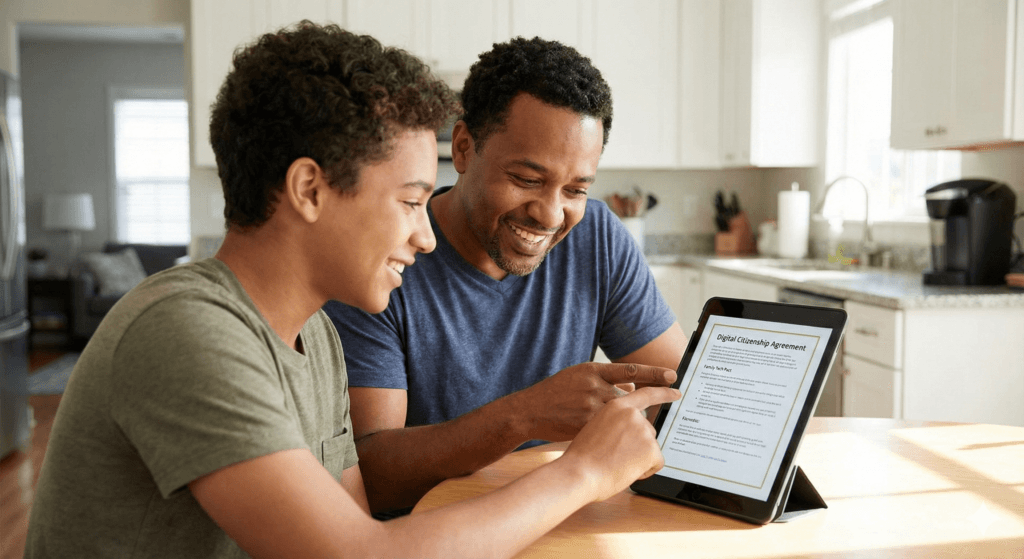
Here is the most critical insight of this report: You cannot code your way out of a parenting problem.
If a teenager wants to see something, they will find a way. They will use a friend’s phone. They will find a library computer. They will buy a burner. Technological controls are training wheels; eventually, the child must ride the bike alone.
Therefore, the ultimate parental control is resilience.
The “Show Me” Technique
Instead of banning an app (which makes it forbidden fruit), ask your child to teach you.
“I keep hearing about Discord. Can you show me how your server works? Who are the mods? How do you use the bots?”
- If they show you, you build trust.
- You learn their environment.
- You can spot red flags together (e.g., “Why is that user asking for your age?” or “That game looks like it’s asking for a lot of personal info”).
This approach shifts the dynamic from Prosecutor/Defendant to Student/Teacher.
The Contract of Safety
Move away from “spying” and toward “spot-checking.”
- The Deal: “You can have this phone and privacy, but I reserve the right to spot-check it if I have a concern for your safety. If you use a vault app or a VPN to hide things, you lose the phone because you have broken the contract of trust.”
- The Goal: Accountability, not total surveillance. This respects their developing autonomy while maintaining a safety net.
Digital Literacy: The New Sex Ed
We must teach kids technical concepts just as we teach them biological ones. They need to understand how the technology works so they are not manipulated by it.
- Explain Metadata: “When you send a photo, it might contain your GPS coordinates. Don’t send photos to strangers.”
- Explain Encryption: “Just because Snapchat says it’s gone doesn’t mean a hacker can’t recover it. Nothing digital is ever truly deleted.”
- Explain Algorithms: “TikTok is showing you sad videos because it knows you stare at them longer, not because the world is sad. You are being programmed.”
Conclusion: Fighting the Good Fight
You are not fighting a losing battle; you are fighting an evolving one. The goal is not to hermetically seal your child from the digital world—that is impossible and developmentally stunting. The goal is to delay their exposure to the worst elements until they have the maturity to handle them, and to maintain a relationship where they come to you when they see something terrifying, rather than hiding it for fear of losing their phone.
Technology is a tool. It can be a weapon or a lifeline. Your job is not to smash the tool, but to teach the hand that holds it. Stay curious, stay firm, and keep the lines of communication open. And when you don’t know what a word means, check the dictionary below.
Appendix: The Nerd Dictionary (2025 Edition)
To navigate this world, you must speak the language. This glossary covers slang, technical terms, and gaming jargon used by teens in 2025.
Section A: The Slang (Decoding the Chatter)
General & Vibes
- Bet: A confirmation. Means “Yes,” “Okay,” or “It’s a plan.”
- Brainrot: Consuming mindless, hyper-stimulating content (like TikTok scrolling) until one feels mentally foggy. Also refers to the content itself (e.g., “That video is pure brainrot”).
- Cap / No Cap: Lie / No lie (Truth). “No cap, that pizza was good” means “Seriously, that pizza was good.”
- Crash Out: To lose control, get incredibly angry, or have an emotional breakdown. “He crashed out after losing the game.” Can also imply acting recklessly.
- Glazing: Over-complimenting or sucking up to someone to the point of being cringey. Similar to “kissing up.”
- Gyatt: An exclamation of surprise or admiration, usually referring to a large buttocks. Derived from AAVE (“God damn”).
- Mewing: Pressing the tongue to the roof of the mouth to define the jawline. Often used as a rude gesture to silence parents/teachers (pointing to the jaw to indicate “I can’t talk, I’m mewing”).
- Ohio: Slang for “weird,” “cringe,” or “bizarre.” Based on memes about Ohio being a chaotic, lawless place.
- Rizz: Charisma, specifically in flirting. “W Rizz” (Good charisma), “L Rizz” (Bad charisma). Short for “Charisma.”
- Skibidi: Nonsense filler word, often meaning “bad” or “evil,” or just used as a generic adjective. From the viral “Skibidi Toilet” meme series.
- Sigma: A “lone wolf” male; successful but outside the social hierarchy. Often associated with “manosphere” content and Patrick Bateman memes. Can be ironic or serious.
- Sus: Suspicious. “That guy is acting sus.”
Relationships & Appearance
- Body Count: The number of people someone has slept with.
- Discord Kitten: A derogatory term for a (usually young) person who is subservient to an older male (Discord Daddy) on the platform, often in exchange for “Nitro” (premium currency) or attention. High grooming red flag.
- Edging: Sexual connotation: Delaying orgasm. Meme connotation: Almost losing one’s temper (“I’m edging a crash out”). Context is key.
- Looksmaxxing: The obsession with maximizing physical attractiveness through diet, exercise, or surgery. Can lead to body dysmorphia or eating disorders. Terms like “hunter eyes” or “negative canthal tilt” are associated with this.
- Mogging: Being significantly more attractive or dominant than someone else. “He mogged me at the gym” means “He looked much better/stronger than me”.
- Simp: Someone who does way too much for a crush who isn’t interested.
Section B: The Technical Terms (Explained Simply)
- 2FA (Two-Factor Authentication): A security method where you need two things to log in: a password (something you know) and a code sent to your phone (something you have). Enable this on every account.
- Algorithm: The computer program that decides what your child sees next on TikTok/Instagram. It is designed to maximize “time on screen,” often by feeding outrageous or emotional content.
- Deepfake: A video or image created by AI that makes it look like a person did or said something they never did. Used for fake news and fake pornography.
- Discord Server: A community or “room” on the Discord app. Can be public (thousands of people) or private (just friends).
- DNS (Domain Name System): The internet’s phonebook. Teens change this setting to bypass parental filters that block specific “numbers” (websites).
- Filtered DNS: A “phonebook” that removes dangerous numbers. Examples: Cloudflare Family (1.1.1.3) or OpenDNS FamilyShield (208.67.222.123).
- Encryption: Scrambling data so only the sender and receiver can read it. Good for banking; bad for parents trying to monitor chats on WhatsApp or Signal.
- Jailbreak / Root: Hacking a phone to remove the manufacturer’s safety restrictions. Allows “sideloading” but breaks security.
- MAC Address Spoofing: Changing the digital ID card of a device to trick a router into thinking it is a new, unrestricted device.
- Sideloading: Installing an app from a website instead of the App Store. High risk of viruses/malware.
- VPN (Virtual Private Network): Software that creates a “tunnel” for internet traffic. It hides the user’s activity from the Wi-Fi network/parents and changes their digital location.
Section C: Gaming Terms
- Buff / Nerf: Making a game character stronger (Buff) or weaker (Nerf) by the developers.
- Smurf Account: A high-level player creating a new, low-level account to dominate easier opponents or hide their identity.
- Sweat / Tryhard: A player who is trying way too hard to win in a casual game.
- Tilt: Getting angry or frustrated, leading to playing worse. “I’m tilted.”
Table 1: Quick Reference – Dangerous App Checklist
| App Name | Icon Style | Primary Risk | Action Level |
| Calculator% | Calculator | Hidden Vault for Photos/Videos | Investigate |
| NGL / Sendit | Colorful/Link | Anonymous Bullying | Remove |
| Omegle / Monkey | Monkey/Letter O | Live Video with Strangers | BAN |
| Discord | Controller/Robot | Unmoderated DMs / Grooming | Monitor |
| Snapchat | Ghost | Hidden Location / Disappearing Acts | Monitor/Restrict |
| Roblox | Red Square | Scams / “Condo” Sex Games | Monitor |
| Telegram | Paper Plane | Extremism / Illegal Content | Investigate |
Table 2: Parental Control Tools Comparison
| Tool Name | Type | Best For | Weakness |
| Apple Screen Time | Native OS | Time Limits (iOS) | Glitches, Time Zone Hacks |
| Google Family Link | Native OS | Time Limits (Android) | Secure Folder Bypass |
| Bark | 3rd Party | Content Monitoring (Bullying/Depression) | Encrypted Apps (Signal/WhatsApp) |
| Qustodio | 3rd Party | Strict Blocking & Tracking | Can conflict with VPNs |
| Aura | 3rd Party | Identity Theft + Safety (Full Suite) | Less granular social monitoring |
| Cloudflare DNS | Router | Whole-Home Malware/Porn Block | Bypassed by 5G/Cellular Data |
Disclaimer: This guide is for educational purposes. Technology changes rapidly. Always verify current app settings and features.


Leave a Reply